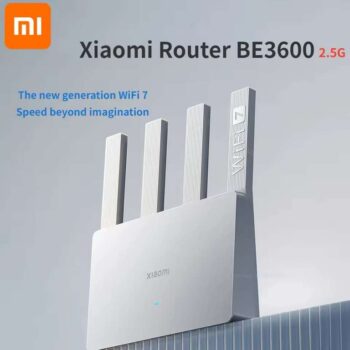
Xiaomi Router BE3600 WiFi 7 Dual-Band Qualcomm quad-core, ( EU plug ) TRUE Mi Store


As an Amazon Associate, I may earn from qualifying purchases.
**Price and promotions are accurate at the time of posting but can change or expire at anytime.**
Use the Get Deal link, a pop-up with the lower price should appear within a few seconds. If it doesnt show up, try disabling your adblocker or switching to a different browser.
Pros:
Affordable: The router is priced under $40, making it one of the most affordable Wi-Fi 7 routers available.
Wi-Fi 7 Features: It supports key Wi-Fi 7 features like Multi-Link Operation (MLO), which allows devices to connect to both 2.4GHz and 5GHz bands simultaneously for improved performance.
2.5G Port: The router includes a 2.5G Ethernet port for faster wired connections.
Mi Home App Compatibility: The router can be easily configured and managed through the Mi Home app, which is convenient for users with other Xiaomi IoT devices.
Cons:
Signal Performance: The routers signal performance was found to be weaker than expected, especially over longer distances or through walls.
Missing 6GHz Band: Due to Chinese regulations, the router does not support the 6GHz band, which is a key feature of Wi-Fi 7.
Design Limitations: The routers antenna design restricts placement options, as it cannot be folded or mounted on a wall.
Chinese Interface: The web management page is only available in Chinese, requiring users to rely on the Mi Home app for English settings.
Overall, the Xiaomi BE3600 2.5G Wi-Fi 7 Router offers a good value for its price, but its limitations in signal performance and the lack of 6GHz support should be considered. It is recommended to use the MLO feature or purchase additional routers for mesh networking to improve signal coverage.
Xiaomi BE3600 Router 2.5G Version Wifi 7 lOT Home Smart Linkage Enhanced OFDMA Support Mesh Networking Mi Home Safely Control
Note
This product is the Chinese version, and the power plugs are all Chinese standard.
Please choose the correct adapter. We will provide you with the required specifications for free.
EU plug Chinese plug Add EU adapter
UK plug Chinese plug Add UK adapter
AU plug Chinese plug Add AU adapter Original US plug Chinese plug
How to configure the internet for the first time
1.Install Mijia APP ,Manage Xiaomi Router ,Please change the APP Region to Chinese mainland to use this device , Choose your own language.
2.The internet configuration conditions broadband network cable, optical modem, power supply, Xiaomi router must be met.
3.Then turn on your phones WLAN function, search for and connect to the Wi-Fi name see the nameplate on the bottom of the Xiaomi router, similar to rd-inet-
4 . Open the Mijia APP homepage, Manually add the model of your router,Follow it to set up.
For more detailed questions, please contact customer service. Please do not initiate disputes easily. Thank you
Hardware Configuration
Product name : Xiaomi router BE3600 2.5G version
Processor Qualcomm Quad-core 1.1GHz CPU
Memory 256MB
2.4G Wi-Fi2x2 (theoretical maximum rate can reach 688Mbps)
5G Wi-Fi2x2 160MHz (theoretical maximum rate can reach 2882Mbps)
Product antenna 4 high gain WiFi antennas
Product heat dissipation naturally
Machine interface 110/100/1000/2500M adaptive WAN/LAN port
310/100/1000M adaptive WAN/LAN port
1 LED indicator light
1 system reset button
1 Mesh button
1 power input interface
Few things to consider before you go ahead:
Pay by credit card or PayPal (if the option available) so you could be protected in the case if something goes wrong
Likely you will have a non-UK charger, and you will need an adapter or an adapter will be attached to your order
Use a fee-free card and pay in USD to save a bit more
Delivery can sometimes take a long time