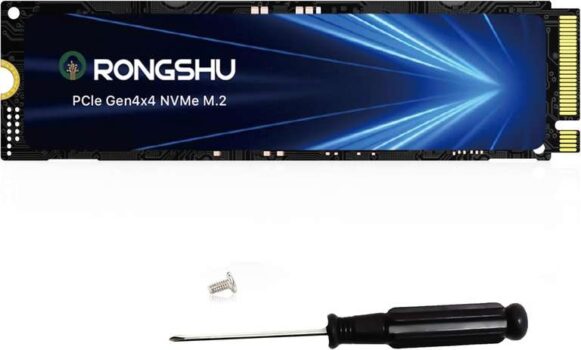
RONGSHU 2TB NVMe SSD PCIe4.0 Gen 44 M.2 2280, Up to 7,400 MB/s sold by RongShu / FBA


As an Amazon Associate, I may earn from qualifying purchases.
**Price and promotions are accurate at the time of posting but can change or expire at anytime.**
2TB NVMe SSD PCIe4.0 Gen 44 M.2 2280,Up to 7,400 MB/s for £192.99
Product Description
Ultra-fast speeds: The M.2 2280 NVMe SSD utilizes the PCIe Gen4x4 high-speed interface and delivers 4K sequential read/write speeds of up to 7400MB/s and 6000MB/s, which ensures high-performance bandwidth and ultra-low latency, making it ideal for high-end gaming and gaming acceleration, audio/video editing, professional content creation, high-performance computing, high-speed office scenarios, and more. (Test Environment: CPU: AMD Ryzen5 7600 DRAM: 32GB DDR4 Chipset: AMD B650 OS: Windows 10 x64 Test Tool: CrystalDiskMark 8.0.x)
HIGH PERFORMANCE: This SSD is equipped with smart SLC cache technology to improve read/write performance, and data transfer speeds are more than three times faster than Gen3 NVMe SSDs. It utilizes high quality good die level TLC wafer, graphene thermal technology and smart thermal throttling
Durability & Performance: The RongShu M.2 NVMe 2280 SSD utilizes 3D NAND TLC flash technology, offering Higher endurance compared to QLC SSDs while ensuring superior data storage reliability and endurance. Its sustained read/write Performance also outperforms QLC SSDs, especially under heavy workloads
Wide range of compatibility: M.2 2280 form factor is compatible with PS5, desktops and laptops (note: PS4 is not supported)
Professional Service Support: The M.2 NVMe SSD comes with 3 years of technical support and customer service from a team of professionals
Note of Capacity: Displayed capacity nominal capacity, SSD products are usually shipped with a capacity of 1MB1000KB, 1GB1000MB, while windows operating system adopts a binary algorithm: 1MB1024KB. 1GB1024MB, so there is a certain difference between the displayed capacity and the nominal capacity of the product
1Manual, 1M2 PCIE4.0 SSD SSD , 1M2 Screwdriver, 2Screws (M2x3mm), Graphene Thermal Cooling Sticker (already attached to the front of the SSD)