
As an Amazon Associate, I may earn from qualifying purchases.
**Price and promotions are accurate at the time of posting but can change or expire at anytime.**
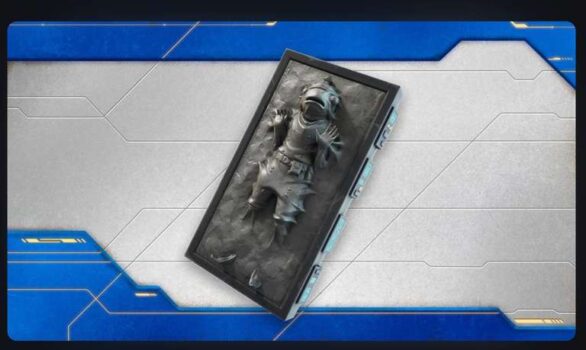
LINK YOUR ELIGIBLE MYDISNEY AND EPIC GAMES ACCOUNTS TO UNLOCK A FREE CARBONITE FISHSTICK BACKBLING
Link your eligible Epic Games Account with your MyDisney account. From now until October 31, 2026, you can unlock the Carbonite Fishstick Backbling in Fortnite if you connect your accounts.
To link your account follow the steps below:
Sign in to your Epic Account
On your Account page, go to Apps and Accounts. Click Connect on the MyDisney Account option. Youll be directed to the MyDisney website to continue the process.
Not able to connect
After account linking, your Carbonite Fishstick Backbling will be waiting for you in your locker. For players who have previously linked their accounts, your Carbonite Fishstick Backbling should be in your locker by April 30, 2026 ET.
Why cant I link my accounts
Account linking is not available in all areas and also requires having both an eligible Epic Games account and a MyDisney account. If you do not see the account linking button in your Epic Games account profile, or are not able to complete account linking with MyDisney, you are not eligible to link your Epic Games account to a MyDisney account. This may be due to a variety of factors, which may include region, Epic Games account linking eligibility requirements, MyDisney account linking eligibility requirements
Is a MyDisney account the same as my Disney account
In most countries, Disney uses your MyDisney account for login. Only one MyDisney account can be linked to an Epic Games account