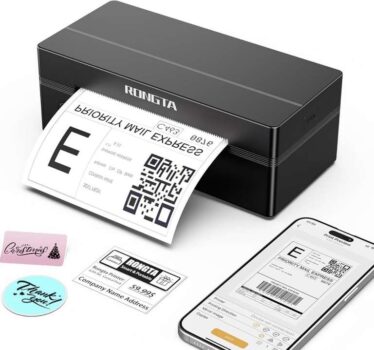
Rongta Bluetooth Thermal Shipping Label Printer, Wireless 4×6 Label Printer – Sold by Xiamen Shi Xingbang Trade Co.,Ltd, FBA


As an Amazon Associate, I may earn from qualifying purchases.
**Price and promotions are accurate at the time of posting but can change or expire at anytime.**
Cheapest this has been according to
Phone/Tablet Start Print: Step 1: Download APP Rlabel in google play or ios app store Step 2: Turn on the RP425 label printer and make a Bluetooth connection in the APP Step 3: Click the sign to complete the device connection and select the file type to start print
PC Start Print: Step 1:Please download and install the RP425 driver from the Instruction Card Step 2: Use the USB cable to connect the printer to your computer Step 3: Select and open your document, and choose RP4xx in the printer list
High-Speed and Easy Set: Easy setup. The package includes Printer, User Manual, Instruction Card, Type-C Adapter, you can set up as needed. Print up to 60 labels per minute (127mm/s). Direct thermal technology, no ink or other consumables needed
Automatic Label Detection: This printer can automatically catch and feed the label and supports label width range from 1.57 to 4.1, and length over 0.79, it is good for printing shipping and warehouse labels, also suitable for own business
Compatibility: Support IOS/Android phone&tablet. Works with WINXP/WIN7/WIN8/WIN10/WIN11/MAC/Chrome. Compatible with all major shipping and e-commerce platforms inlcuding FedEx, DHL, Amazon, Etsy, eBay, Shopify, etc